
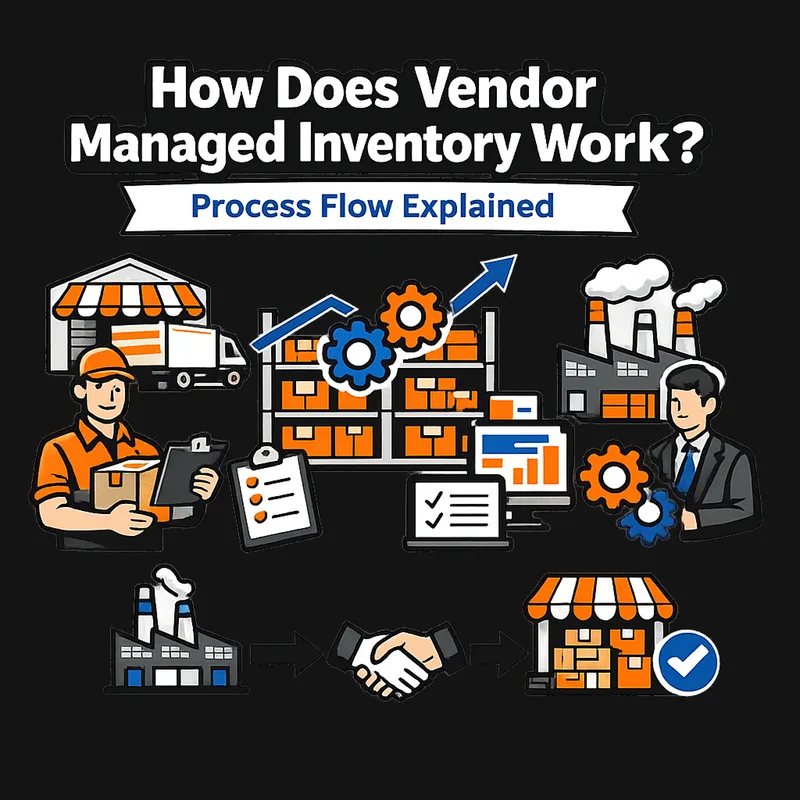
Vendor Managed Inventory Process Flow & Steps Explained
Vendor managed inventory process explained in 5 steps: agreement setup, tech integration, data sharing, replenishment, and monitoring. Full flow breakdown.
How Does Vendor Managed Inventory Work? Process Flow Explained
The vendor managed inventory process sounds simple on the surface: your supplier watches your stock levels and replenishes materials before you run out. No more purchase orders, no more guessing how much to reorder, no more scrambling when bins run empty on the shop floor.
In practice, getting there requires structured agreements, technology integration, ongoing data exchange, and active performance management on both sides. Understanding each step of the VMI process flow before you commit helps you avoid costly surprises and set realistic expectations for your team.
This guide breaks down the complete vendor managed inventory process into five stages, from initial agreement setup through ongoing optimization. For broader context on what VMI is and whether it fits your operation, start with our complete guide to vendor managed inventory.
What You Need Before Starting a VMI Program
VMI is not plug-and-play. Before you approach a supplier about a VMI partnership, confirm that these prerequisites are in place:
- Accurate inventory data: If your current stock counts are unreliable or only updated weekly, VMI will inherit those inaccuracies. The supplier's replenishment decisions are only as good as the data feeding them.
- An ERP or inventory management system: VMI requires a digital system that can share data electronically. Spreadsheets and whiteboards will not support the automated exchange VMI depends on.
- IT resources for integration: Someone on your team (or a contractor) needs to configure, test, and maintain the data connection between your systems and the supplier's platform.
- A willing and capable supplier: Not every supplier has the infrastructure to run a VMI program. Your supplier needs demand planning capabilities, EDI or API connectivity, and the bandwidth to manage your account actively.
- Internal alignment: Your purchasing, operations, and finance teams all need to understand how VMI changes their workflows before implementation begins.
Common mistake: Launching a VMI pilot before cleaning up your inventory data. According to SAP, a VMI program is only as good as its information exchange. Inaccurate on-hand counts or outdated demand forecasts will lead the supplier to make flawed replenishment decisions from day one.
Step 1: Establish the VMI Agreement
Every VMI relationship starts with a formal agreement that defines how the partnership will operate. This is not a standard supply contract. It covers data responsibilities, performance targets, and the rules governing inventory decisions.
What Belongs in the VMI Agreement
A well-structured VMI agreement addresses these core components, as outlined by Ivalua's implementation framework:
- Min/max inventory levels for each SKU the supplier will manage, based on your consumption rates, lead times, and demand variability
- Data-sharing protocols specifying what information you will provide (stock levels, consumption, forecasts), how frequently (daily, weekly), and through which systems (EDI, API, portal)
- Replenishment rules defining how and when the supplier generates orders, including lead time expectations and delivery schedules
- KPI targets such as fill rate (percentage of demand fulfilled from available stock), inventory turnover, and stockout frequency
- SLA terms with specific, measurable thresholds and consequences for missed targets
- Audit rights allowing you to verify that inventory levels and replenishment decisions match the agreed parameters
- Confidentiality provisions protecting the sensitive business data you share with the supplier
- Termination and transition clauses covering how inventory, data, and systems transfer if the partnership ends
The agreement also needs to address escalation procedures for demand spikes, supplier capacity issues, and system failures. Without predefined escalation paths, minor disruptions can snowball into major stockouts.
Common mistake: Writing vague SLAs that state goals like "maintain adequate stock levels" without defining what "adequate" means. Every threshold should be a specific number. For example: "Maintain inventory between 500 and 1,200 units of SKU-4401, with a minimum 97% fill rate measured monthly."
Step 2: Integrate Technology Systems
With the agreement in place, the next stage of the vendor managed inventory process is connecting your systems to the supplier's platform so data can flow automatically.
How VMI Data Exchange Works
Most VMI programs rely on Electronic Data Interchange (EDI) as the backbone of communication. EDI uses standardized document formats so your ERP and the supplier's system can exchange information without manual entry:
EDI DocumentPurpose in VMIEDI 852Product Activity Data: transmits your inventory levels and sales data to the supplierEDI 855Purchase Order Acknowledgment: confirms the supplier received and accepted a replenishment orderEDI 856Advance Ship Notice: alerts you that a shipment is on the way with item details and quantitiesEDI 870Order Status Report: updates both parties on order progress
The integration connects your ERP system (SAP, Oracle, NetSuite, or similar) to the supplier's planning system through an EDI translator or middleware. Some modern VMI setups use API-based connections instead of traditional EDI, offering more flexible, near-real-time data exchange.
Timeline and Cost
This integration step is where many VMI implementations stall. Traditional EDI setup with custom integration typically takes 3 to 6 months and can cost $50,000 to $200,000 or more for initial configuration, testing, and partner onboarding. Cloud-based EDI platforms have compressed that timeline to weeks and reduced costs to subscription pricing starting around $200 to $1,000 per month per trading partner.
According to Business Research Insights, more than 40% of companies report incompatibility in data exchange protocols across vendors, which can delay VMI onboarding significantly even after both parties agree to move forward.
For a detailed comparison of VMI technology platforms, see our guide to vendor managed inventory software.
Common mistake: Underestimating integration effort. Many teams budget for the software licenses but forget to account for the IT hours required to map data fields, test connections, troubleshoot edge cases, and maintain the integration over time. Plan for integration to consume 2-3x the effort of the initial software setup.
Step 3: Share Inventory and Demand Data
Once your systems are connected, the ongoing data exchange begins. This is the operational engine of the vendor managed inventory process: the continuous flow of information that enables your supplier to make replenishment decisions on your behalf.
What Data Flows Between You and the Supplier
The supplier needs a clear, current picture of your inventory position:
- Current stock levels for every SKU under the VMI agreement
- Consumption rates showing how quickly you use each item (daily, weekly, or per-production-run)
- Production schedules so the supplier can anticipate demand spikes tied to specific jobs or orders
- Demand forecasts projecting expected consumption over the coming weeks or months
- Receiving confirmations verifying that shipments arrived and quantities matched
In return, the supplier shares:
- Replenishment plans showing upcoming order quantities and delivery dates
- Lead time updates reflecting any changes in their production or shipping timelines
- Inventory position reports confirming what they have available to ship
According to EDICOM, this data typically flows through standardized EDI messages: inventory reports, delivery call-offs, and sales reports that the supplier's ERP system processes automatically to update stock and production planning. In most VMI programs, inventory and sales data transmissions happen daily or several times per week via the EDI 852 Product Activity Data document, though the exact frequency depends on the terms you negotiated in Step 1.
Data Quality Is the Make-or-Break Factor
The entire VMI process depends on the accuracy and timeliness of this data. Inaccurate point-of-sale data, missing on-hand inventory figures, or incorrect product master data will inevitably lead the supplier to make flawed replenishment decisions. A one-day delay in reporting a consumption spike can mean the difference between a smooth restock and a production line stoppage.
Common mistake: Sharing data inconsistently. If you send stock levels daily but only update demand forecasts monthly, the supplier is working with a partial picture. Align all data feeds to the same frequency your VMI agreement specifies.
If this level of data integration sounds like more infrastructure than your operation needs, you are not alone. Many small and mid-sized manufacturers want the outcome VMI promises (real-time visibility, automated replenishment, fewer stockouts) without the EDI infrastructure and ongoing data management overhead. Systems like Arda use physical Kanban cards paired with QR codes and a digital backend to deliver inventory visibility and automated reordering at a fraction of the complexity. It is worth understanding your options before committing to a full VMI program.
Step 4: Automate Replenishment Decisions
With data flowing between systems, the supplier can now execute the core function of VMI: deciding when and how much inventory to ship without waiting for you to place an order.
How Automated Replenishment Works
The supplier's VMI system continuously compares your current inventory levels against the min/max thresholds defined in your agreement. When stock for a particular SKU drops to or below the minimum level, the system triggers a replenishment order. The target quantity brings inventory back up to the agreed maximum level (or an optimal point between min and max, depending on the replenishment model).
This process differs from traditional ordering in a critical way: no purchase order originates from your side. The supplier generates the order based on the data and the rules you agreed to. You receive an advance ship notice (via EDI 856), and the shipment arrives according to the agreed delivery schedule.
More sophisticated VMI programs go beyond simple min/max triggers. The supplier may use demand forecasting models powered by machine learning to predict consumption patterns and adjust replenishment quantities proactively, rather than reacting to threshold breaches after they happen.
The Replenishment Cycle in Practice
A typical VMI replenishment cycle follows this sequence:
- Your system transmits current inventory data to the supplier (automated, daily or more frequently)
- The supplier's VMI platform analyzes the data against min/max levels and demand forecasts
- The platform generates a replenishment order for SKUs that need restocking
- The supplier confirms the order and schedules production or picks from existing stock
- An advance ship notice transmits to your system with shipment details
- You receive the shipment, verify quantities, and your system updates inventory records
- The cycle repeats
The goal is a steady flow of materials that keeps your operation running without anyone on your team manually monitoring bin levels or placing orders. When VMI works as designed, many programs achieve 98% or higher service levels and reduce overall inventory carrying costs by 30-50%.
Common mistake: Setting static min/max levels and never revising them. Demand patterns shift with seasons, new product introductions, and market changes. Ivalua recommends that min/max thresholds should be reviewed at least quarterly and adjusted based on actual consumption trends, not just the original estimates from the agreement.
Step 5: Monitor Performance and Optimize
VMI is not a set-and-forget system. The final step of the vendor managed inventory process is ongoing performance management, where both you and the supplier track how well the program is delivering against its targets.
Key VMI Performance Metrics
Effective VMI programs track these KPIs, as outlined by NetSuite:
- Fill rate: The percentage of demand fulfilled directly from available stock. Target: 95-99% depending on item criticality.
- Inventory turnover rate: How frequently your managed inventory cycles through. Higher turnover means less capital tied up in stock.
- Stockout frequency: How often items drop below usable levels. This should trend toward zero for well-managed VMI SKUs.
- Forecast accuracy: How closely the supplier's demand predictions match your actual consumption. Poor forecast accuracy signals a need to improve data quality or adjust models.
- Order accuracy: Whether shipments contain the correct items and quantities. Errors here create downstream problems in receiving and production.
- On-time delivery: The percentage of replenishment shipments arriving within the agreed window.
Review Cadence
Most VMI programs hold monthly operational reviews to check metrics and address immediate issues, with quarterly strategic reviews to assess overall program performance and decide whether to expand, adjust, or restructure the arrangement. Many organizations achieve payback on their VMI investment within 12 to 18 months, though starting with a limited SKU pilot can show measurable results within 60 days.
During these reviews, examine whether the original min/max levels still reflect actual demand. Look for patterns in any stockouts or overstock situations. Ask whether the data exchange is working as designed or whether latency and errors are creeping in.
For a deeper look at the measurable outcomes you should expect from a well-run VMI program, see our guide to vendor managed inventory benefits.
Common mistake: Only reviewing metrics when a problem surfaces. By that point, the data usually shows the issue has been building for weeks. Scheduled reviews catch trends early and keep small problems from becoming expensive ones.
Troubleshooting Common Vendor Managed Inventory Process Issues
Even well-designed VMI programs encounter problems. Here are the most common issues and how to address them:
Data quality degradation: Over time, data accuracy can slip if manual processes creep back in or system integrations develop sync errors. Run monthly data audits comparing your physical inventory counts against what your VMI system reports. Discrepancies above 2-3% warrant immediate investigation.
Supplier overshipment: Some suppliers, particularly when incentivized to push more inventory to boost their sales figures, may consistently ship above max levels. Address this directly in your review meetings and enforce the SLA terms you established in Step 1.
Integration failures: EDI connections can break due to system updates, server changes, or mapping errors. Maintain a backup notification process (even a simple email alert) so you know immediately when automated data exchange stops. According to Lean Supply Solutions, failure to directly integrate the vendor's VMI platform with the customer's ERP system creates delays, requires manual intervention, and increases error risk.
Misaligned incentives: The supplier wants to sell product. You want to minimize on-hand stock. When these incentives conflict, overstock accumulates. The fix is tying supplier compensation or performance bonuses to inventory turns and fill rates, not just shipment volume.
If you are weighing whether these complexities are worth the benefits for your operation, our analysis of VMI advantages and disadvantages provides a balanced assessment.
Frequently Asked Questions
How long does it take to implement a vendor managed inventory process?
A full VMI implementation typically takes 3 to 6 months when using traditional EDI integration, according to Orderful. That timeline covers system integration, data mapping, testing, and partner onboarding. Cloud-based EDI platforms can reduce setup to a matter of weeks by providing pre-configured connections. However, the agreement negotiation and internal process changes often take longer than the technology setup, so plan for 4 to 8 months from decision to fully operational.
What is the difference between VMI and consignment inventory?
In VMI, the supplier manages replenishment decisions, but ownership of the inventory typically transfers to the buyer upon delivery. In consignment, the supplier retains ownership of the inventory at the buyer's location until it is consumed or sold. Many companies combine both models, where the supplier manages replenishment (VMI) and retains ownership until consumption (consignment). The financial and legal implications differ significantly between the two.
Can small manufacturers use VMI effectively?
VMI is possible for smaller manufacturers, but the cost-benefit math changes. Traditional VMI implementation can cost $50,000 to $200,000 or more in upfront technology and integration expenses. For manufacturers managing fewer than 200 SKUs or under $10 million in inventory, the overhead of a formal VMI program may outweigh the benefits. Simpler inventory visibility tools, like kanban-based systems, can deliver automated reordering without the infrastructure investment.
What data does a supplier need to run a VMI program?
At minimum, the supplier needs current stock levels, consumption or usage rates, and demand forecasts for the SKUs they manage. Most VMI programs also share production schedules, receiving confirmations, and return data. The more complete and timely the data, the better the supplier's replenishment decisions. According to SAP, the data exchange is the foundation of every successful VMI partnership.
Is the VMI Process Right for Your Operation?
The vendor managed inventory process delivers real value for manufacturers with the right profile: high SKU volumes, predictable demand patterns, capable supplier partners, and the IT infrastructure to support continuous data exchange. When those conditions align, VMI can reduce carrying costs by 30-50% and push fill rates above 98%.
But those conditions represent a threshold that many small and mid-sized manufacturers have not yet crossed. If your operation manages under 500 SKUs, relies on a mix of suppliers with varying technical capabilities, or lacks dedicated IT support, the full VMI model may introduce more complexity than it resolves.
A Quick Decision Framework
The good news is that the core outcome VMI provides (knowing what you have, when you need more, and triggering replenishment automatically) does not require the full VMI infrastructure to achieve. Kanban-based systems, QR-code-linked inventory cards, and lightweight digital tools can deliver real-time visibility and automated reordering for manufacturing teams that need simplicity over enterprise-grade integration. Explore how these approaches compare in our guide to VMI vs. kanban inventory systems.
Make the first replenishment loop visible.
Generate free Kanban cards for the parts that most often stop production.
Make Free Kanban CardsRelated reading
Vendor Managed Inventory Examples: 7 Real Case Studies
Vendor managed inventory example case studies from Walmart, Dell, Toyota, Boeing, and more. Real data on cost savings, inventory turns, and key takeaways.
Jun 3, 2026Read article
Takt Time vs. Cycle Time vs. Lead Time: A Manufacturer's Guide
Learn how takt time, cycle time, and lead time work together to eliminate bottlenecks and boost throughput. Formulas, examples, and improvement strategies inside.
Mar 20, 2026Read article
OEE for Manufacturers: How to Calculate and Improve Overall Equipment Effectiveness
Learn how to calculate OEE in manufacturing with the exact formula, a worked example, Six Big Losses breakdown, and practical steps to improve your score.
Jul 13, 2026Read article