
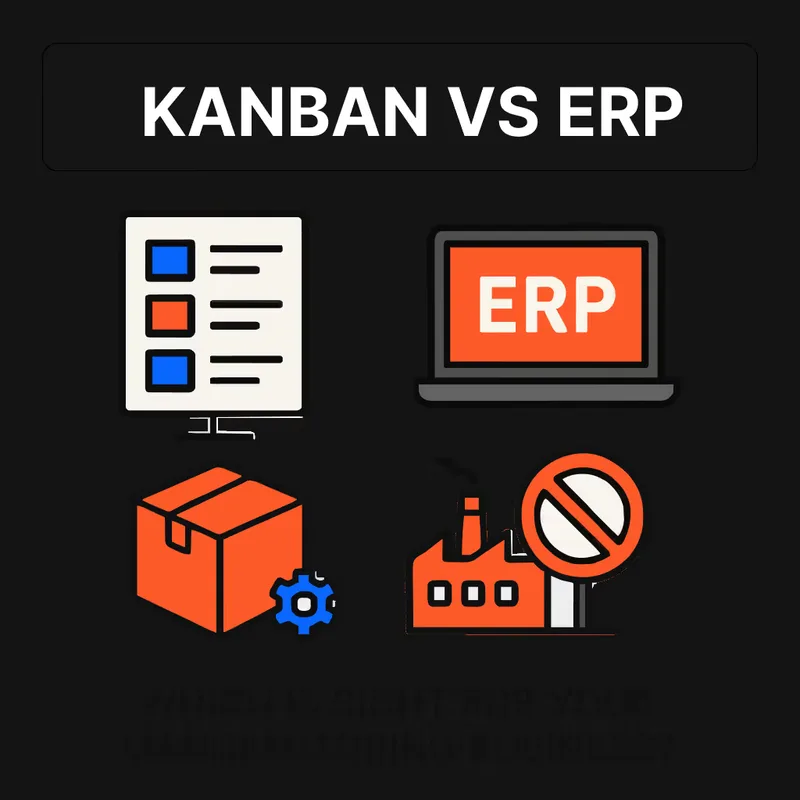
Kanban vs. ERP: How Should You Manage Your Inventory?
Kanban vs. ERP — which system fits your factory? Compare pull vs. push inventory management, see when to combine both, and find the right approach for your operation.
Your production line just stopped — again. A critical part ran out and nobody saw it coming. Sound familiar? For manufacturing businesses, the difference between smooth operations and costly downtime often comes down to one question: should you use Kanban or ERP to manage your inventory?
These two systems represent fundamentally different philosophies. Kanban is a pull-based system that replenishes materials based on actual consumption. ERP is a push-based system that plans production around forecasts. Choosing the right approach — or figuring out how to use both — can mean the difference between lean operations and expensive chaos.
In this guide, we'll break down the kanban vs. ERP debate head-to-head, compare their strengths and weaknesses across key dimensions, and help you determine which approach fits your manufacturing environment. Spoiler: the answer might not be as either/or as you think.
Understanding Kanban: The Pull-Based Inventory System
What Is Kanban?
Kanban, developed as part of the Toyota Production System in 1953, is a visual method for managing workflow and inventory. The term itself is Japanese for "signboard" or "visual card," reflecting its core principle: use visual signals to trigger action only when materials are actually needed.
Unlike forecast-driven systems that push production based on predictions, Kanban operates on a pull principle. Materials are replenished only when consumed, creating a just-in-time inventory flow. This consumption-based approach means your shop floor drives replenishment — not a planner guessing at next month's demand.
If you're new to the concept, our guide on what is a kanban board covers the fundamentals in depth.
How Kanban Works
A traditional kanban system uses a bin-based approach:
- One bin on the production line — workers pull parts as needed
- One bin at a control point — staged for replenishment
- One bin with the supplier — being refilled for the next cycle
When the production bin empties to a predetermined level, a kanban card (or a QR-code scan in modern systems) triggers replenishment from the control point. When the control point runs low, a signal goes to the supplier. This creates a self-regulating loop of materials — no complex forecasting algorithms required.
Modern kanban card systems take this further by linking physical cards to a digital backend. When a worker scans a kanban card, the system instantly updates inventory levels, triggers reorders, and captures consumption data — providing real-time inventory visibility across your entire operation.
Benefits of Kanban for Inventory Management
- Reduced waste: Producing only what's needed when it's needed cuts excess inventory and carrying costs significantly. Studies show kanban implementations typically reduce inventory levels by 25–75%.
- Improved efficiency: The visual nature of kanban makes bottlenecks immediately obvious. When a card gets stuck, you can see exactly where the problem is.
- Real-time tracking: Unlike systems that rely on periodic inventory counts, kanban provides continuous visibility into stock levels through visual signals and digital scans.
- Faster response to change: Because kanban adjusts based on actual usage rather than forecasts, it naturally adapts when demand shifts — no system reconfiguration needed.
- Shop floor simplicity: Workers don't need software training. They scan a card or move a bin. Compliance stays high because the process is intuitive.
Exploring ERP: The Push-Based Planning System
What Is ERP?
Enterprise Resource Planning (ERP) runs the whole business off one data set. It holds inventory, production planning, finance, procurement, and HR in a single system. For inventory management specifically, ERP typically uses a push methodology — production is driven by demand forecasts and master schedules rather than real-time consumption.
Modern ERP systems have evolved significantly from their origins as glorified accounting software. Today's platforms offer sophisticated Material Requirements Planning (MRP), real-time analytics, and increasingly, connectors that can work alongside pull-based systems like kanban.
How ERP Works
In an ERP-driven system:
- Customer orders create demand within the planning module
- MRP calculates material requirements based on bills of materials, lead times, and forecasts
- Purchase orders flow to suppliers via EDI or automated procurement
- Production is scheduled based on capacity planning and cost optimization
- Finished goods are tracked through the system from raw materials to shipment
This approach tracks and plans everything in one place — but its effectiveness depends heavily on the accuracy of your demand forecasts and the quality of data in the system.
Benefits of ERP
- Data management: ERP excels at collecting, analyzing, and reporting on large datasets across your entire operation.
- Advanced planning and forecasting: With analytics tools, ERP can model demand patterns and optimize inventory levels — particularly valuable for seasonal products or volatile markets.
- One database across departments: By connecting finance, purchasing, production, and shipping, ERP eliminates data silos and reduces duplicate data entry.
- Upstream visibility: Modern ERP provides supply chain visibility from raw materials through finished goods — helpful for identifying upstream issues before they hit your production floor.
Kanban vs. ERP: Head-to-Head Comparison
This is where the kanban vs. ERP decision gets practical. Here's how they compare across the dimensions that matter most to manufacturers:
| Dimension | Kanban | ERP |
|---|---|---|
| Approach | Pull — triggered by actual consumption | Push — driven by forecasts and schedules |
| Inventory philosophy | Minimize stock; replenish on demand | Optimize stock levels based on projected needs |
| Best for | Variable consumption goods, shop supplies, high-turnover items | Complex BOMs, long lead times, make-to-order |
| Implementation | Incremental — start with one part, scale as needed | Big-bang or phased — requires full system setup |
| Cost | Low startup; scales with usage | High upfront; ongoing licensing and maintenance |
| Shop floor usability | Intuitive — scan a card, move a bin | Requires training; low shop floor compliance is common |
| Response to change | Immediate — adjusts with consumption | Slower — requires forecast updates and replanning |
| Data capture | Consumption-based; real-time | Transaction-based; depends on data entry discipline |
| Forecasting dependency | None — works on actual demand | High — accuracy determines effectiveness |
| Scalability | Scales naturally — Toyota still uses kanban cards | Scales with IT investment and system complexity |
When Kanban Wins
Kanban is the stronger choice when:
- Demand is variable or hard to forecast. If you're managing consumables, MRO supplies, or variable consumption goods that can't be put on a bill of materials, kanban handles the unpredictability gracefully.
- You need fast implementation. A kanban system can be running on your shop floor in days, not months. You can start with a single part number and expand incrementally.
- Shop floor compliance is a challenge. Workers don't need to interact with complex software. They scan a card or signal when a bin is empty. That's it.
- You want to reduce inventory without risking stockouts. Kanban's pull-based approach naturally optimizes stock levels to what you actually consume, preventing both overstocking and stockouts.
When ERP Wins
ERP is the stronger choice when:
- You produce complex, multi-level assemblies. Products with deep bills of materials and coordinated component deliveries benefit from MRP's planning engine.
- Lead times are long and variable. When you're ordering specialty raw materials months in advance, forecast-based planning helps ensure they arrive on time.
- Regulatory compliance requires traceability. Industries like aerospace or medical devices often need the lot tracking and audit trails that ERP provides.
- Inventory data has to land in the books. If your inventory decisions need to tie directly into accounting, procurement approvals, and cost allocation, ERP keeps all of it in one system.
Do I Need an ERP to Manage Manufacturing Inventory?
This is one of the most common questions manufacturers ask — and the answer might surprise you. No, you don't necessarily need an ERP to manage your inventory effectively.
Many small and mid-sized manufacturers have been sold on the idea that ERP is the only "real" answer for inventory management. But the reality is that ERP systems were designed to plan and coordinate complex operations across an entire enterprise. If your primary pain point is making sure the right parts are on the shelf when your team needs them, an ERP system may be overkill.
Here's what often happens: a manufacturer invests six figures and 6–12 months implementing an ERP, only to find that shop floor workers avoid the system because it's too complex. The inventory data becomes unreliable because people aren't entering transactions consistently. And the consumables and shop supplies that cause the most stockouts? They often don't even fit into the ERP's bill of materials structure.
A kanban system addresses these pain points directly. It's simple enough that every worker on the floor can use it, captures consumption data automatically, and costs a fraction of an ERP implementation.
The Hybrid Approach: Combining Kanban and ERP
Here's the insight most articles miss: the best manufacturers don't choose between kanban and ERP — they use both. Toyota, the company that invented kanban, also runs one of the most sophisticated ERP environments in manufacturing. The two systems serve different purposes and complement each other.
How Kanban and ERP Work Together
The most effective hybrid approach uses each system for what it does best:
- ERP handles the macro: Long-range planning, demand forecasting, financial reporting, purchase order management for high-value components, and regulatory compliance.
- Kanban handles the micro: Day-to-day material replenishment on the shop floor, real-time inventory visibility, consumable management, and continuous process improvement signals.
In practice, this means your ERP manages your bill of materials and schedules production for your major assemblies, while kanban ensures that fasteners, abrasives, adhesives, welding gas, cutting tools, and other variable consumption goods never run out. Modern kanban systems integrate with ERP through APIs, so consumption data flows back into your ERP for accurate costing and reporting — without requiring shop floor workers to enter transactions manually.
How Kanban Inventory Control Integrates with Existing ERP Systems
Integration between kanban and ERP doesn't have to be complex. Modern kanban ERP integration typically works through:
- Automated data sync: Kanban consumption data pushes to ERP in real-time, keeping inventory records accurate without manual data entry.
- Blanket purchase orders: ERP issues monthly blanket POs to suppliers; kanban cards trigger the actual delivery quantities within those agreements.
- Backflushing: When kanban signals a replenishment, the ERP automatically adjusts inventory balances and updates cost records.
- Demand validation: ERP's forecasting data helps set kanban parameters (bin quantities, reorder points), while kanban's actual consumption data improves forecast accuracy over time.
This bidirectional flow means you get the planning power of ERP and the execution simplicity of kanban — without the data gaps that plague either system when used alone.
How a Kanban Card Generator Provides Real-Time Inventory Visibility
One of the biggest advantages of modern kanban systems is real-time inventory visibility — something that traditional ERP systems struggle to deliver at the shop floor level.
Here's how it works: a kanban card generator creates physical cards with unique QR codes for each item in your inventory. When a worker scans the QR code (because a bin is empty or stock hits the reorder point), the digital backend instantly:
- Updates inventory levels across the system
- Triggers a reorder to the supplier or internal warehouse
- Captures consumption data — how much was used, when, and where
- Alerts procurement if lead times or supplier issues require attention
This scan-and-go simplicity means every replenishment event is captured in real-time, giving you a live picture of material flow across your operation. Compare that to a traditional ERP where inventory accuracy depends on workers remembering to enter transactions at a computer terminal — and you'll understand why kanban card systems deliver better data-driven insights on inventory reordering.
If you want to see how this works in practice, you can create kanban cards for your own inventory and experience the simplicity firsthand.
Best Practices for Implementing Kanban, ERP, or Both
Starting with Kanban
- Pick your worst stockout offender. Identify the part that causes the most production delays and set up kanban for that item first.
- Set your bin quantities. Use your consumption data (or estimates) to determine how much safety stock you need in each bin. Our guide on how to calculate safety stock in kanban walks through the math.
- Keep it visual. The whole point of kanban is that anyone can see the status at a glance. Don't bury it in a software dashboard.
- Scale gradually. Add more items to your kanban system as you prove results. Most Arda customers start with 10–20 parts and expand from there.
Making ERP Work Better
- Simplify your data entry. The fewer transactions you require from shop floor workers, the more accurate your data will be.
- Focus ERP on what it's good at. Use it for planning, financials, and major component procurement — not for tracking every fastener and consumable.
- Audit your forecast accuracy. If your forecasts are consistently off by more than 20%, your ERP is making bad decisions. Consider kanban for items where forecasting fails.
Running the Hybrid
- Define the boundary clearly. Decide which items are managed by ERP (typically BOM components with long lead times) and which are managed by kanban (consumables, shop supplies, high-turnover parts).
- Integrate the data. Make sure kanban consumption data feeds back into your ERP so your financial reports stay accurate.
- Let each system do its job. Don't try to force kanban items into your MRP runs, and don't try to manage consumables through purchase requisitions.
Making the Right Choice: Kanban vs. ERP for Your Operation
The kanban vs. ERP question isn't really about picking a winner. It's about matching the right tool to the right problem:
- If you're drowning in stockouts on shop supplies and consumables, start with kanban. You'll see results in days, not months.
- If you need to coordinate complex multi-level assemblies across facilities, ERP's planning engine is purpose-built for that.
- If you have an ERP that's underperforming on the shop floor, adding kanban alongside it will fill the gaps without replacing your existing investment.
The manufacturers who get inventory right aren't the ones with the most expensive system. They're the ones who use the right approach for each category of inventory.
Ready to see how kanban can change your shop floor inventory management? Explore Arda's pricing to find the right plan for your operation, or schedule a call to discuss how kanban and ERP can work together in your facility.
Frequently Asked Questions
What is the difference between kanban and ERP?
Kanban is a pull-based inventory system that triggers replenishment based on actual material consumption using visual signals like cards or bins. ERP is a push-based planning system that schedules production and procurement based on demand forecasts and master schedules. Kanban excels at real-time, shop-floor-level inventory control, while ERP provides enterprise-wide planning, financial integration, and cross-functional coordination.
Can kanban work without an ERP system?
Yes. Many manufacturers run kanban as their primary inventory management system without an ERP. Kanban is particularly effective as a standalone system for small to mid-sized manufacturers managing consumables, MRO supplies, and variable consumption goods. A modern kanban system with a digital backend can capture consumption data, automate reordering, and provide inventory analytics — capabilities that previously required an ERP.
How does kanban differ from other inventory control systems?
Kanban is unique because it uses actual consumption to drive replenishment rather than forecasts or periodic reorder points. Unlike traditional inventory control techniques such as EOQ or ABC analysis that rely on calculations and classifications, kanban is a continuous, real-time system. It's also inherently visual — the status of your inventory is immediately apparent without running reports or queries.
Is kanban or MRP better for manufacturing?
Neither is universally better — they solve different problems. MRP (the planning engine within ERP) is stronger for complex assemblies with deep bills of materials and long lead times. Kanban is stronger for high-turnover items, consumables, and environments where demand is variable. Research shows that combining both — using MRP for macro planning and kanban for shop floor execution — produces lower inventory levels and better responsiveness than either system alone.
What types of inventory should be managed with kanban vs. ERP?
Kanban works best for: consumables, shop supplies, fasteners, abrasives, adhesives, welding gas, cutting tools, packaging materials, and any item with variable consumption that doesn't fit neatly into a bill of materials. ERP works best for: major components with long lead times, items requiring lot tracking for compliance, high-value raw materials with complex procurement, and products where demand can be reasonably forecasted.
Try Arda on the parts that run out most.
Print cards, put them at the stock point, scan when you pull. It augments your ERP, it doesn't replace it.
Rossmonster reports 50% less time spent ordering and 95% of stockouts eliminated.
Related reading
6 Best Manufacturing Inventory Software for Automated Reordering in 2026
Evaluating the top inventory software for SMB manufacturers in 2026. Compare tools for automating reordering workflows, managing consumables, and improving shop-floor usability. See our top pick for eliminating stockouts for good.
Jan 28, 2026Read article
5 Best Kanban Inventory Software for Manufacturers in 2026
Find the perfect Kanban inventory software for your shop floor. From simple hybrid tools to full e-Kanban systems, here are the top 5 picks for 2026.
Nov 13, 2025Read article
8 Best Manufacturing Inventory Management Software Tools in 2026
Compare the best manufacturing inventory software for 2026. From Kanban-based shop floor tools to full MRP systems, find the right fit for your operation.
Feb 25, 2026Read article