
Add items from any supplier page.
Arda Capture is a Chrome extension. Click it on a product page and Arda fills in the item for you.
The problem
Typing in items is the slow part.
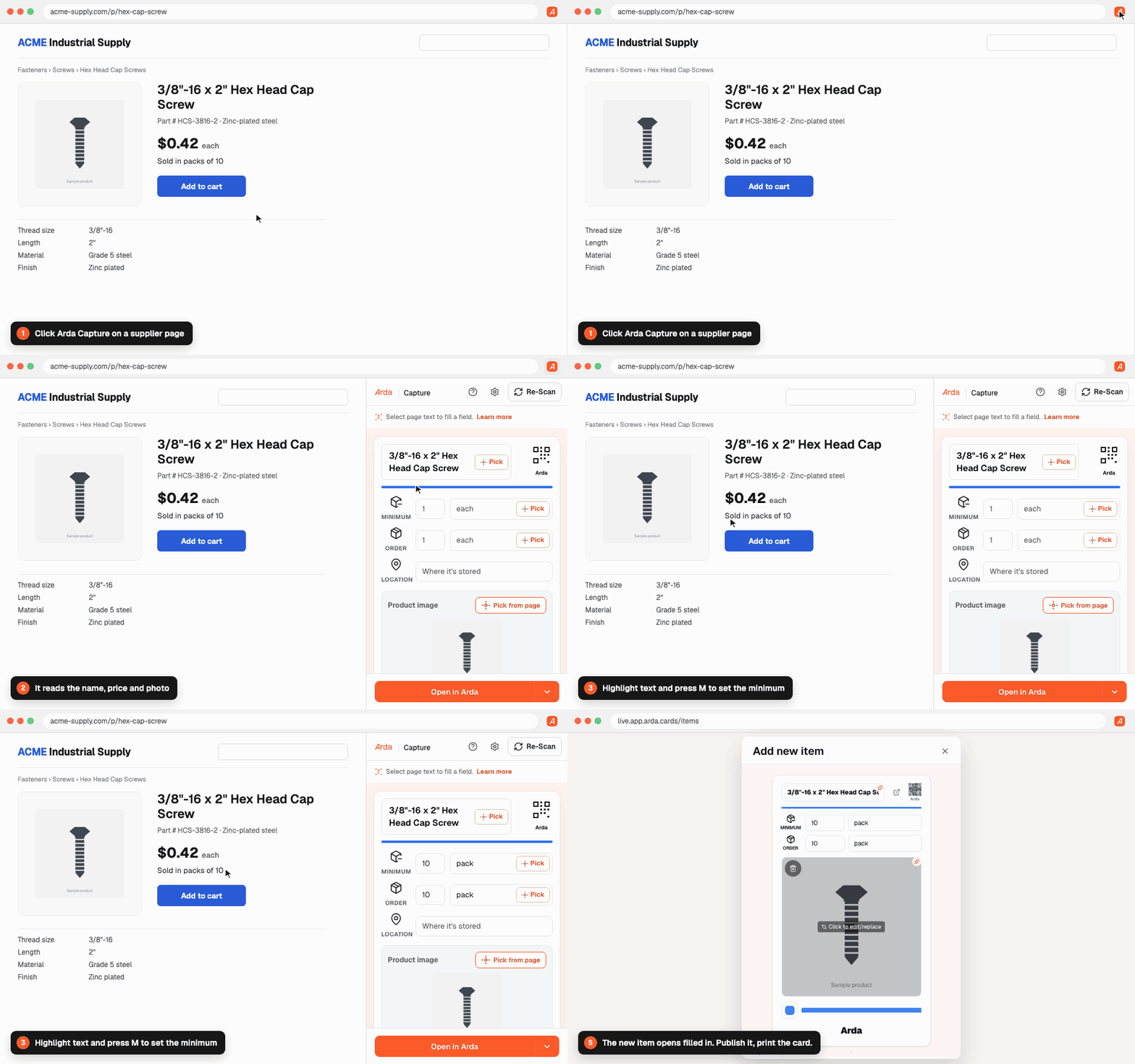
Arda Capture copies the name, SKU, price and photo off the supplier page for you.
How it works
- 1
Install
Add it from the Chrome Web Store.
- 2
Capture
Click it on a supplier product page.
- 3
Publish
Open in Arda, publish, print the card.
Feature breakdown
One click reads the page.
Click the icon or press Ctrl+Shift+A. The name, SKU, price and photo fill in.
- Works on any product page.
- Reads a page only when you click.
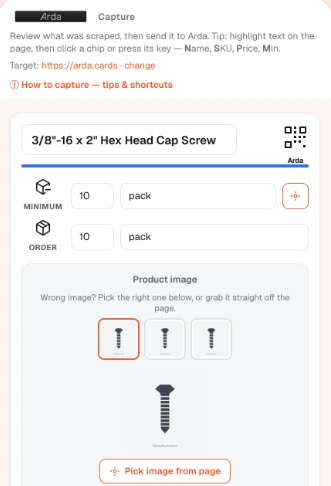
Fix a field with one key.
Highlight text and press N, S, P or M. Or click Pick and point at it.
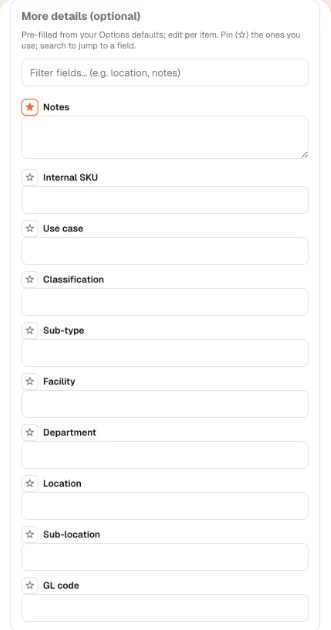
- Set location and other defaults once.
- Pin the fields you use most.
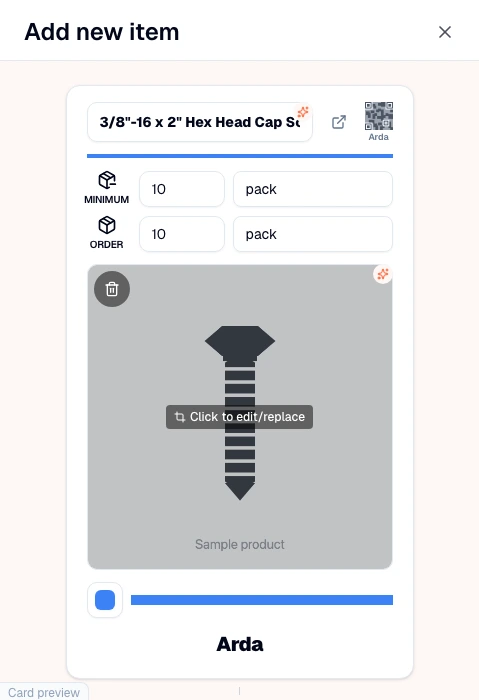
Open it in Arda.
Click Open in Arda. The item is filled in. Publish it and print the card.
- No copy and paste.
- Uses your Arda login.
Common questions
Do I need an Arda account?
Yes. Sign in to Arda in the same browser. The Free plan works.
Which browsers does it work in?
Chrome, Edge and Brave.